
Download Stamp And Number Pro – Add Stamps, Page Numbers & Watermarks to Any Document
Overview
Stamp And Number Pro is a lightweight yet powerful desktop utility designed to let users add custom stamps, page numbers, and watermarks to PDF, Word, and image files with just a few clicks. Whether you are a legal professional who needs to mark confidential documents, a photographer looking to embed copyright information, or a student who wants to number a thesis, this tool offers a clean, intuitive interface that eliminates the hassle of manual editing. The application supports both text‑based and image‑based stamps, giving you the flexibility to create brand logos, “Approved” stamps, or even personalized signatures.
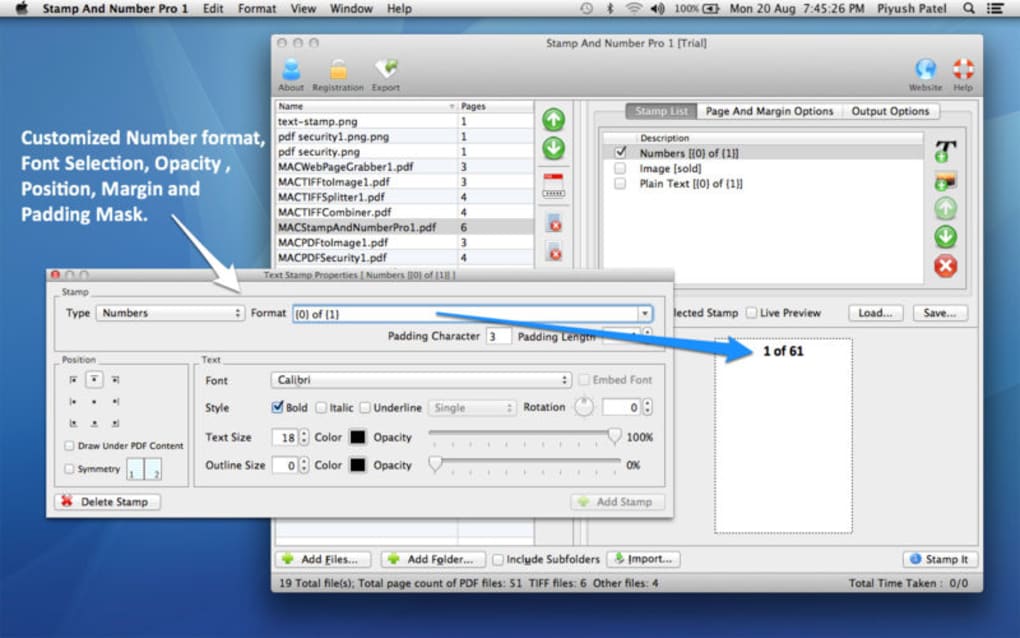
Fonts, colors, opacity, and rotation can be tweaked to match the exact look you require, and the changes are applied instantly without the need for external plugins or complex scripts. Because the software is built on a secure, offline architecture, all document processing stays on your machine, ensuring privacy for sensitive files. In addition, the program provides a batch‑processing mode that can apply the same stamp across multiple pages or files in a single operation, saving time for high‑volume workflows.
Overall, Stamp And Number Pro strikes a balance between professional‑grade functionality and user‑friendly simplicity, making it a valuable addition to any document‑handling toolbox.
Key Features
- Text and Image Stamps: Add custom text, logos, or any PNG/JPEG image as a stamp.
- Full Font Control: Choose from system fonts or load custom TTF files; adjust size, style, and color.
- Page Numbering Engine: Automatic sequential numbering with options for Roman numerals, prefixes, suffixes, and custom formats.
- Batch Processing: Apply a single stamp or page‑number scheme to multiple documents or pages in one click.
- Opacity & Rotation: Set transparency levels and rotate stamps to any angle for diagonal watermarks.
- Secure Offline Operation: No internet connection required; all processing stays locally on your computer.
- Multi‑format Support: Works with PDF, DOCX, ODT, JPG, PNG, and TIFF files.
- Undo/Redo History: Revert changes instantly if a stamp is misplaced.
- Custom Templates: Save frequently used stamp configurations as templates for one‑click reuse.
- Lightweight Installer: Under 20 MB download, quick installation, and minimal system impact.
Installation, Usage & Compatibility
How to Install
Download the installer from the official website and run the executable. The wizard guides you through a typical installation process: accept the license agreement, choose an installation folder (default is C:\Program Files\StampAndNumberPro on Windows), and select optional desktop shortcuts. The installer also checks for the presence of the latest Microsoft Visual C++ Redistributable, installing it automatically if needed. After completion, launch the program from the Start menu or the desktop shortcut.
First‑Run Configuration
On first launch, Stamp And Number Pro presents a brief setup wizard where you can define default units (inches or millimeters), default font family, and a preferred folder for saving processed documents. You can also import existing stamp templates if you have previously exported them from another machine. All settings are stored in a local JSON configuration file, which you can edit manually for advanced customisation.
Applying Stamps and Numbers
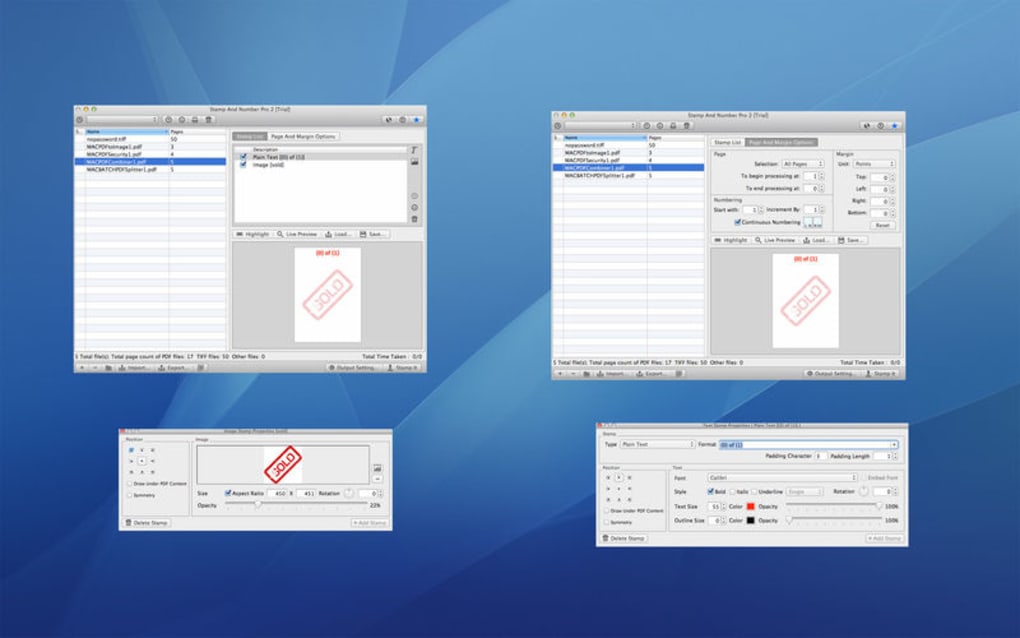
To add a stamp, open a document via the File → Open menu or drag‑and‑drop the file onto the main window. Choose Stamp → Add New Stamp, then select either Text Stamp or Image Stamp. For text stamps, type your label, pick a font, size, and colour, then position it on the preview canvas.
For image stamps, browse to your logo file, adjust scaling, and place it similarly. Page numbers are added by selecting Numbering → Insert Page Numbers, where you can specify start number, format, and placement (header/footer, left/center/right). Once satisfied, click Apply to embed the changes permanently into the file.
Batch Processing
The Batch Mode button opens a dialog where you can add multiple files, choose a common stamp template, and define page‑range rules (e.g., apply stamp only to pages 2‑5). After confirming, the application processes each file sequentially, displaying a progress bar and logging any errors. Batch results are saved in a user‑specified output folder, preserving the original file names.
System Requirements
Stamp And Number Pro is built for Windows 10 and later (both 64‑bit and 32‑bit). The software also runs on Windows 11 without any compatibility issues. While a native macOS version is not yet available, the program can be executed on macOS via virtualization tools such as Parallels Desktop or Boot Camp. Minimum hardware requirements include a 1 GHz processor, 2 GB RAM, and 100 MB of free disk space for installation.
Pros, Cons & Frequently Asked Questions
Pros
- Intuitive UI that requires virtually no learning curve.
- Supports both text and image stamps with full style control.
- Batch processing saves hours for large document sets.
- All operations are performed offline, guaranteeing data privacy.
- Low system footprint – runs smoothly on older PCs.
Cons
- No native macOS or Linux version (requires Windows environment).
- Limited to static stamps; no dynamic QR‑code generation.
- Advanced PDF editing (e.g., editing existing annotations) is not supported.
FAQ
Can I use Stamp And Number Pro with encrypted PDFs?
Yes. The application prompts you to enter the password before processing. Once unlocked, you can add stamps and page numbers, then the file is re‑encrypted with the same password.
Is there a free trial or a free version?
A fully functional 14‑day trial is available. After the trial, you can purchase a single‑user license; the software does not offer a limited “free” version.
Can I import stamps created in other applications?
Absolutely. Stamp And Number Pro can import PNG, JPEG, and BMP images as stamps. Text‑based stamps can be recreated by copying the style settings manually.
Does the software support Unicode characters?
Yes. The text stamp engine uses Unicode, allowing you to add characters from any language, including Arabic, Chinese, and Cyrillic scripts.
How often are updates released?
The developer releases major updates roughly twice a year, with minor bug‑fix patches as needed. Update notifications appear within the application, and you can download patches directly from the official site.
After testing Stamp And Number Pro on a variety of legal briefs and design portfolios, it proved to be a reliable, fast, and secure solution for adding both visual and numeric identifiers. The batch mode alone makes it a must‑have for any office that deals with high‑volume document workflows.
Conclusion & Call to Action
Stamp And Number Pro fills a niche that many generic PDF editors overlook: a dedicated, fast, and secure way to embed stamps and page numbers without the bloat of full‑featured editing suites. Its straightforward interface, robust batch capabilities, and offline‑first design make it especially appealing for professionals who handle confidential documents daily. While the lack of native macOS support may deter some users, the overall value proposition remains strong for Windows‑based environments. If you need a reliable tool to add “Approved”, “Draft”, or custom branding stamps quickly, this software is worth the investment.
Ready to streamline your document workflow? Download Stamp And Number Pro now and take advantage of the 14‑day free trial. Secure, simple, and built for the everyday professional—your documents will never look the same again.







